
Ultimate Member Role-Based Redirection
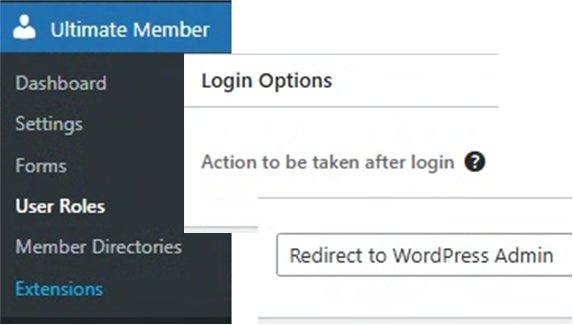
The Ultimate Member plugin provides a dedicated setting within its User Roles configuration to control where a user is redirected after a successful login, making it very easy to set a custom destination for the Author role.
Here is the step-by-step process:
⚙️ Ultimate Member Role-Based Redirection
1. Access Ultimate Member User Roles
- Navigate to your WordPress dashboard.
- Go to Ultimate Member 🠆 User Roles.
2. Edit the Author Role
- Locate the Author role in the list.
- Click the Edit link next to the Author role’s name.
3. Configure Login Options
- On the Edit Role screen, click on the Login Options tab (or scroll down to the Login Options section).
- Find the setting titled Action to be taken after login.
4. Set the Custom Redirect URL
- Change the Action to be taken after login setting to Redirect to URL.
- A new field will appear below it, titled Set Custom Redirect URL.
- In this field, enter the full URL or the relative path of the page where you want Author users to land.
| Action to be taken after login | Set Custom Redirect URL Example | Result |
| Redirect to URL | /author-dashboard/ | Redirects to a custom page created for Authors. |
| Redirect to URL | https://yourwebsite.com/posts/ | Redirects to a specific URL (like a post listing page). |
| Redirect to WordPress Admin | Redirects to the standard WordPress Dashboard. |
- Tip: For most Author users, a good redirect is a custom front-end dashboard or their default WordPress admin area where they can access their posts (
/wp-admin/edit.php).
5. Save Changes
- Click the Update Role button at the bottom of the page to save your new redirect rule.
📝 Important Considerations
- Login Form Setting: This role-based setting can be overridden by a setting on a specific Ultimate Member login form. Ensure your login form is configured to use the default role settings:
- Go to Ultimate Member 🠆 Forms.
- Edit your Login Form.
- In the form settings, under Redirection after Login, ensure the setting is set to Default. This tells the form to respect the rule set in the User Role.
- Default WordPress Role: The standard Author role is a default WordPress role. Ultimate Member enhances these roles, allowing you to set these custom redirects for them.
📚 Reference
- Ultimate Member Documentation: User Roles Settings. (2023). Provides details on configuring login, registration, and general permissions on a per-role basis, including the “Action to be taken after login” setting.
Our Score
Click to rate this post!
[Total: 0 Average: 0]
Visited 2 times, 1 visit(s) today