
Comparison of YouTube Data API, Analytics API, and Reporting API
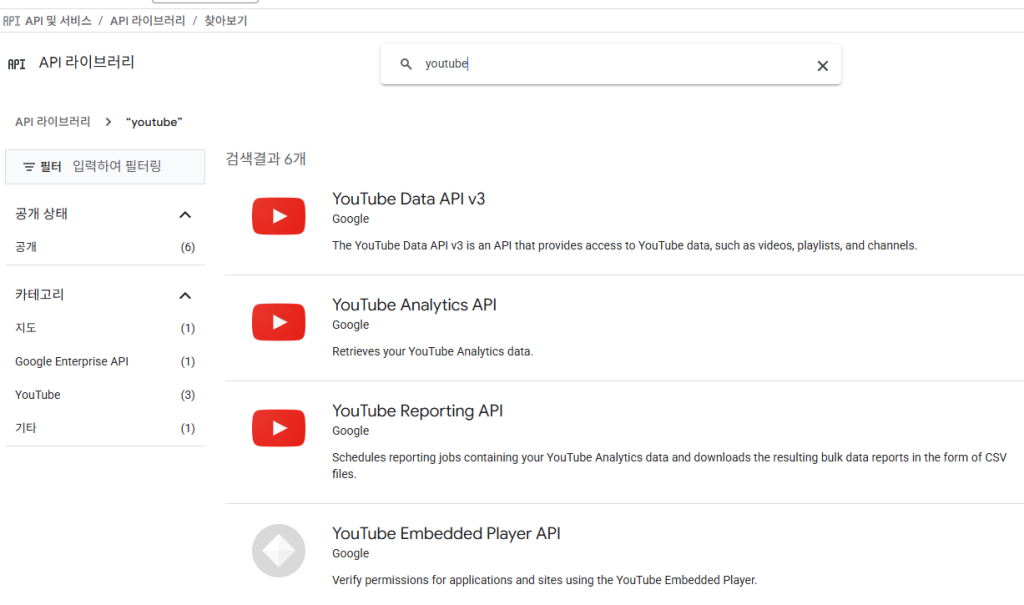
Here’s a comparison of the three main YouTube APIs for developers.
The simplest way to think about them is:
- Data API: Manages your channel and videos (e.g., upload, update, search).1
- Analytics API: Gets specific, real-time performance data (e.g., “How many views did video X get today?”).2
- Reporting API: Downloads large, bulk reports of all your data (e.g., “Give me all my data for every video from yesterday”).3
Comparison at a Glance
| Feature | YouTube Data API (v3) | YouTube Analytics API | YouTube Reporting API |
| Primary Use | Manage YouTube presence. | Query for specific stats. | Download bulk data. |
| Data Type | Content & Metadata (videos, playlists, comments, subscriptions). | Aggregated performance metrics (views, watch time, demographics). | Pre-defined, bulk performance metrics and ad revenue data. |
| Retrieval Method | Real-time, synchronous API calls. | Real-time, synchronous API calls. | Asynchronous, scheduled jobs. (You request a report, YouTube prepares it, then you download it.) |
| Best For… | Building apps that upload videos, manage playlists, or search for content. | Creating custom dashboards with specific, targeted, real-time charts. | Data warehousing, large-scale analysis, and long-term data backup. |
| Example | “Upload this video.” “Fetch the 10 most recent comments on video X.” “Search for ‘cat videos’.” | “What were the top 10 videos by watch time in the last 7 days?” “Show me the viewer demographics for video Y.” | “Generate a report of all views, for all my videos, grouped by country, for the entire month of May.” |
In-Depth Breakdown
1. YouTube Data API
This API lets your application act like a user on YouTube. It’s focused on managing resources and interacting with the platform’s features.4 It does not provide detailed performance analytics like views or watch time (beyond the basic, public view count on a video).5
Common use cases:
- Uploading videos to a channel.
- Searching for videos, channels, and playlists.6
- Managing playlists: Creating, deleting, or adding videos to them.7
- Reading and managing comments (retrieving, replying, moderating).8
- Managing subscriptions: Subscribing or unsubscribing a user to a channel.9
- Updating video titles, descriptions, and thumbnails.10
2. YouTube Analytics API
This API is for targeted, real-time queries to get performance data.11 You ask a specific question (a query) and get a specific answer back immediately.12 It’s ideal for building interactive dashboards where a user might want to select date ranges or filter by specific videos.
Common use cases:
- Displaying a “Top 10 Videos” chart on a dashboard.
- Getting a real-time view count for a new video in its first 24 hours.
- Plotting views, watch time, and subscriber gains over a custom date range.13
- Querying for specific audience demographics (e.g., age, gender, geography) for a single video.14
3. YouTube Reporting API
This API is designed for large-scale data retrieval.15 Instead of asking for data in real-time, you schedule a reporting job.16 YouTube then generates a comprehensive, bulk report (usually as a CSV file) and makes it available for you to download.17 This process is asynchronous and typically provides data on a daily basis.
This API is the right choice when you need all the data and the Analytics API would be too slow or hit quota limits. It often contains more granular data (like specific ad performance metrics) that aren’t available in the Analytics API.18
Common use cases:
- Importing all your YouTube data into a data warehouse (like BigQuery or Redshift) for complex analysis.19
- Performing long-term trend analysis over millions of data points.20
- Joining YouTube data with other business data (e.g., sales, marketing spend) in your own database.
- Backing up all your channel’s performance history.