
How to show the dashboard for Author user in WordPress
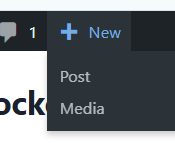
The Author user role in WordPress has dashboard access by default .
Authors can:
- Write, edit, and publish their own posts.
- Upload files to the Media Library.
- See comments on the site (though they can typically only moderate comments on their own posts).
- Edit their own profile.
If an Author user is unable to access the dashboard (the /wp-admin/ area), it’s usually due to a plugin or custom code that has restricted their capabilities.
🛠️ Solutions for Restoring Author Dashboard Access
If your Author user cannot access the dashboard, you have two primary methods to resolve the issue:
1. Check/Modify Plugins and Settings (Recommended)
The most common reason for restricted dashboard access for non-Administrator roles is a security or user role management plugin.
- Review User Role/Security Plugins: If you have plugins like Remove Dashboard Access, LoginPress, or other membership/role editor plugins, check their settings. These plugins often have a setting that allows you to specify which roles (e.g., Administrator, Editor, Author) are allowed access to the
/wp-admin/area. Ensure the Author role is selected. - Check User Capabilities: If you use a User Role Editor plugin (like PublishPress Capabilities), verify that the Author role has the necessary capability, particularly
edit_postsor the most basic capability required for dashboard access, which is usuallyread. - Disable and Test: As a diagnostic step, you can temporarily deactivate all non-core plugins one by one to see which one is blocking access. Once you find the culprit, configure its settings correctly.
2. Custom Code Modification (Advanced)
If you suspect custom code in your theme’s functions.php file or a custom plugin is causing the redirection/blocking, you can check for and remove the restrictive code.
Look for a code snippet similar to this, which blocks non-Administrators, and either remove it or modify it to include the Author role:
PHP
function restrict_admin_access() {
    // Check if the user is in the admin area AND is not an administrator,
    // and is not performing an AJAX call.
    if ( is_admin() && ! current_user_can('administrator') && !( defined('DOING_AJAX') && DOING_AJAX) ) {
        // This line redirects non-admins to the homepage.
        wp_redirect( home_url() );
        exit;
    }
}
add_action( 'init', 'restrict_admin_access' );
To allow Author users to keep dashboard access while restricting other roles (like Subscriber or Contributor), you can use the user capability edit_posts. Since the Author role has the edit_posts capability by default, checking for this capability is a safer way to grant access:
PHP
function restrict_admin_access() {
    // The 'edit_posts' capability is given to Contributor, Author, Editor, and Administrator.
    // If you only want Authors and above, this is a safe check.
    if ( is_admin() && ! current_user_can( 'edit_posts' ) && !( defined('DOING_AJAX') && DOING_AJAX) ) {
        wp_redirect( home_url() );
        exit;
    }
}
add_action( 'init', 'restrict_admin_access' );
Note: Always place custom code in a Child Theme’s
functions.phpfile or a custom plugin to prevent updates from overwriting your changes.
📚 Reference List
- WordPress.org. Roles and Capabilities. (Documentation on default user roles and their permissions).
- WPBeginner. How to Limit Dashboard Access in WordPress (Discusses using plugins and code to manage dashboard access).
- Kinsta. WordPress functions.php File: The Ultimate Guide + Helpful Code Snippets (Provides context on where and how to safely add code snippets).